The First Zero-Code Tracing Setup for the Claude Agent SDK
Anthropic makes making agents easy with the Claude Agent SDK, giving you the same infrastructure behind Claude Code in a single query() call. But hidden to the developer is an array of mechanisms at works: sub-agents, tool calls, skills, and more. When your agent inevitably gives you the wrong answer, how do you find out where it went wrong?
Scorecard solves this with Claude Agent SDK and Claude Code CLI tracing, allowing you to see the agents, LLM calls, tools, and context of your agents. The best part: it requires 0 lines of code on your end, just configuring a few environment variables.
Observability is a Pain
Traditional observability platforms, especially for GenAI, require tedious instrumentation with an SDK, wrapping every call, defining your tool calls, and more. On top of this, every code change requires an update to your own tracing instrumentation.
That's why native tracing from Anthropic changes everything. Scorecard's integration with the Claude Agent SDK and Claude Code CLI means tracing happens at the infrastructure level. No pip install, no wrapper SDK, and no instrumentation library. You export three environment variables, and every Agent SDK call automatically ships full traces. Your code stays clean, you don't build up tech debt, and you get observability on day 1 instead of sprint 3.
How the Claude SDK Works
Whenever you decide to invoke the Claude Agent, the program uses a combination of tools and subagents in order to complete the task. For you, this looks like a question + answer. But under the hood, a dozen moving parts are working in tandem. By setting 4 environment variables in your shell or app, you can take a look at exactly what's happening, seeing costs, durations, tool calls, retry loops, and more.
Claude Agent SDK
Here is a trace taken when you call Claude SDK’s query function:
query(prompt="Explain what Python is in one sentence.", options=options)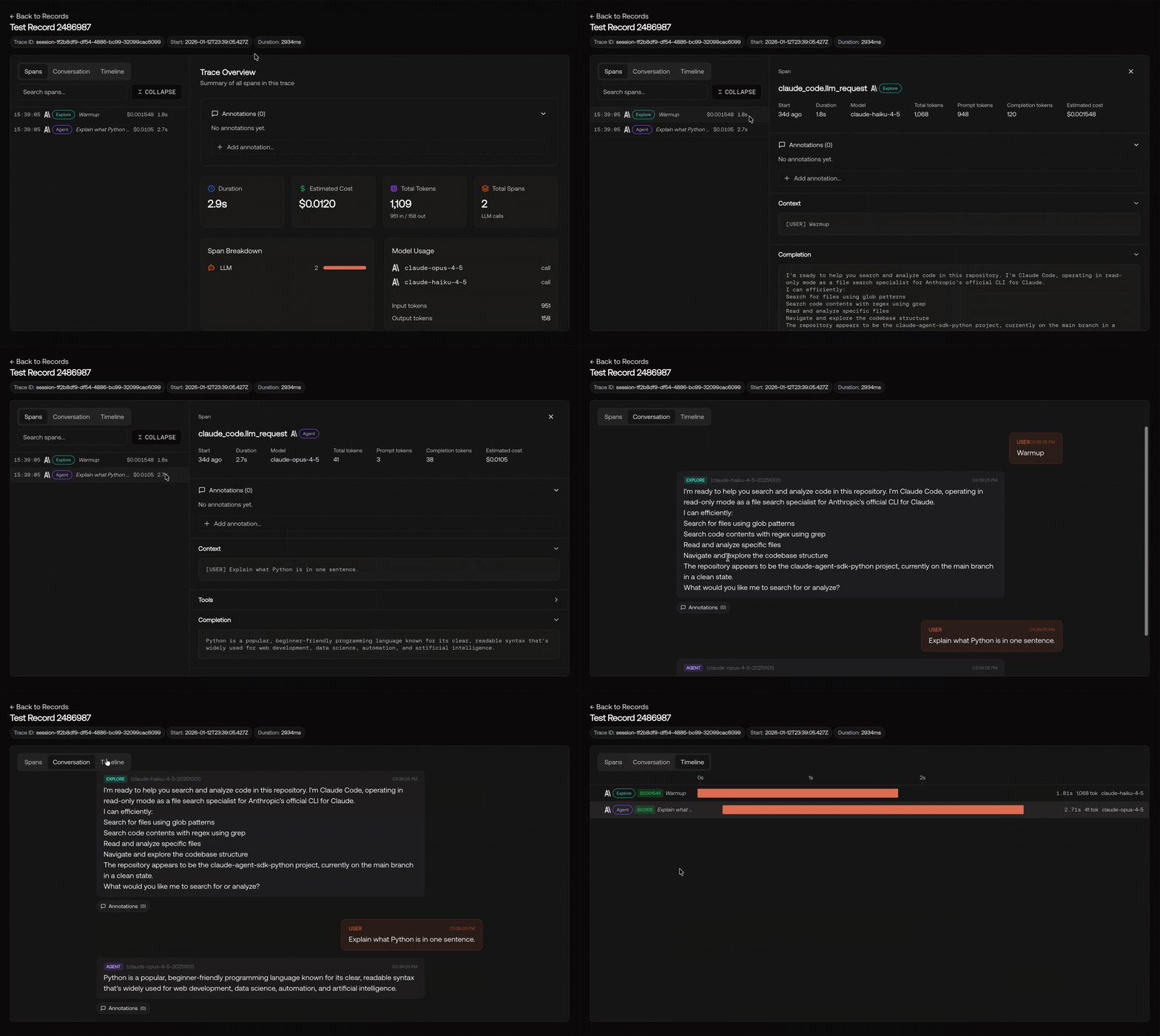
Looking deeper at this trace, we can see some interesting decisions made by the SDK:
- There is a "Warmup" sequence at the start of our query, burning tokens on setting up a file explorer agent that is never used.
- The SDK uses both Claude-Haiku and Claude-Opus, coming to a whopping cost of 10¢ for a simple call
- The Warmup sequence starts before the actual API call, creating a small delay in the response
Through more careful prompt engineering as well as different configurations around the Claude Agent SDK, we can avoid this extraneous cost and delay.
Claude Code CLI
Here is what happens behind the scenes when you run this line in your terminal:
claude -p "Explore this directory and then tell me about what is going on in this directory”
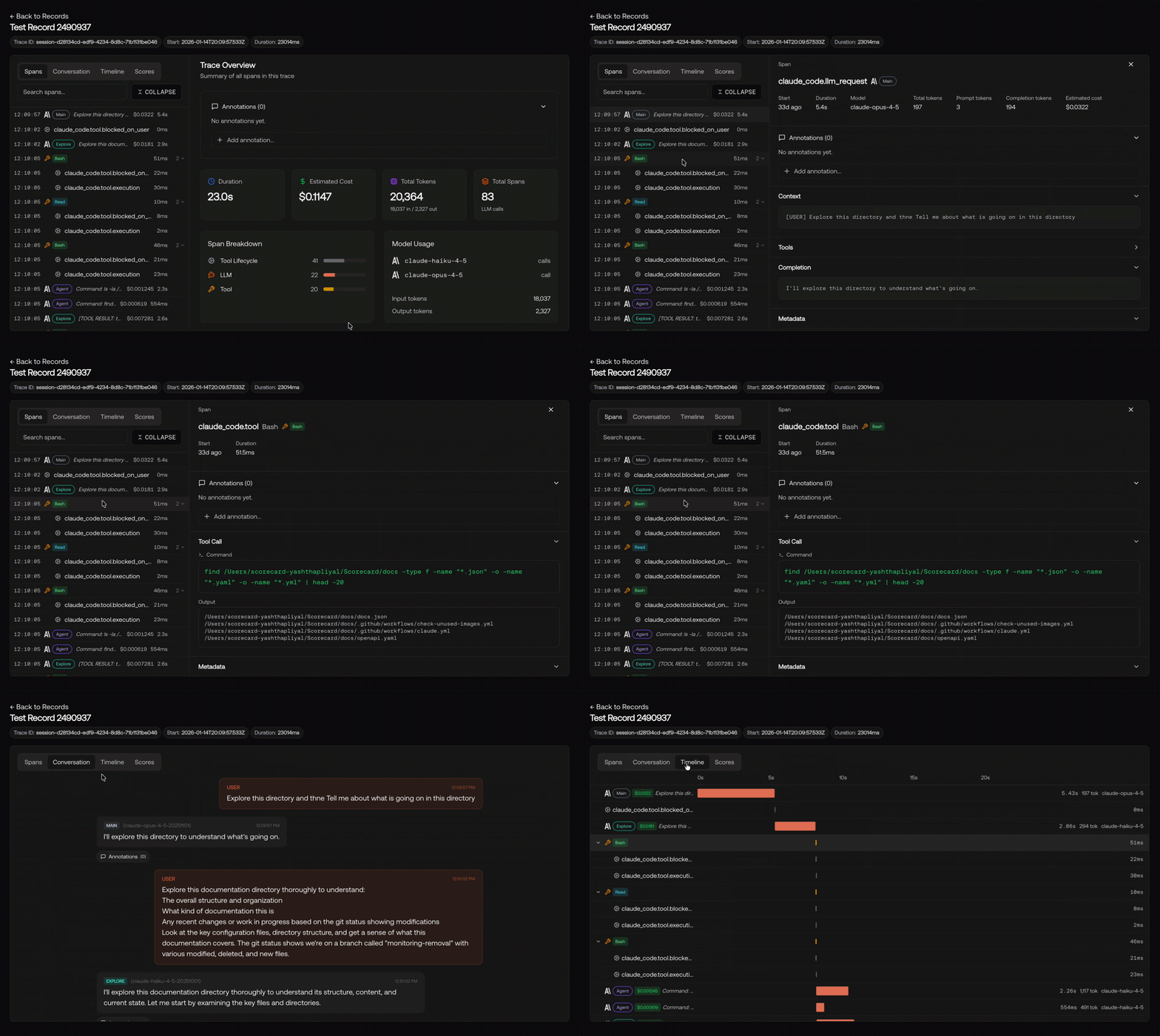
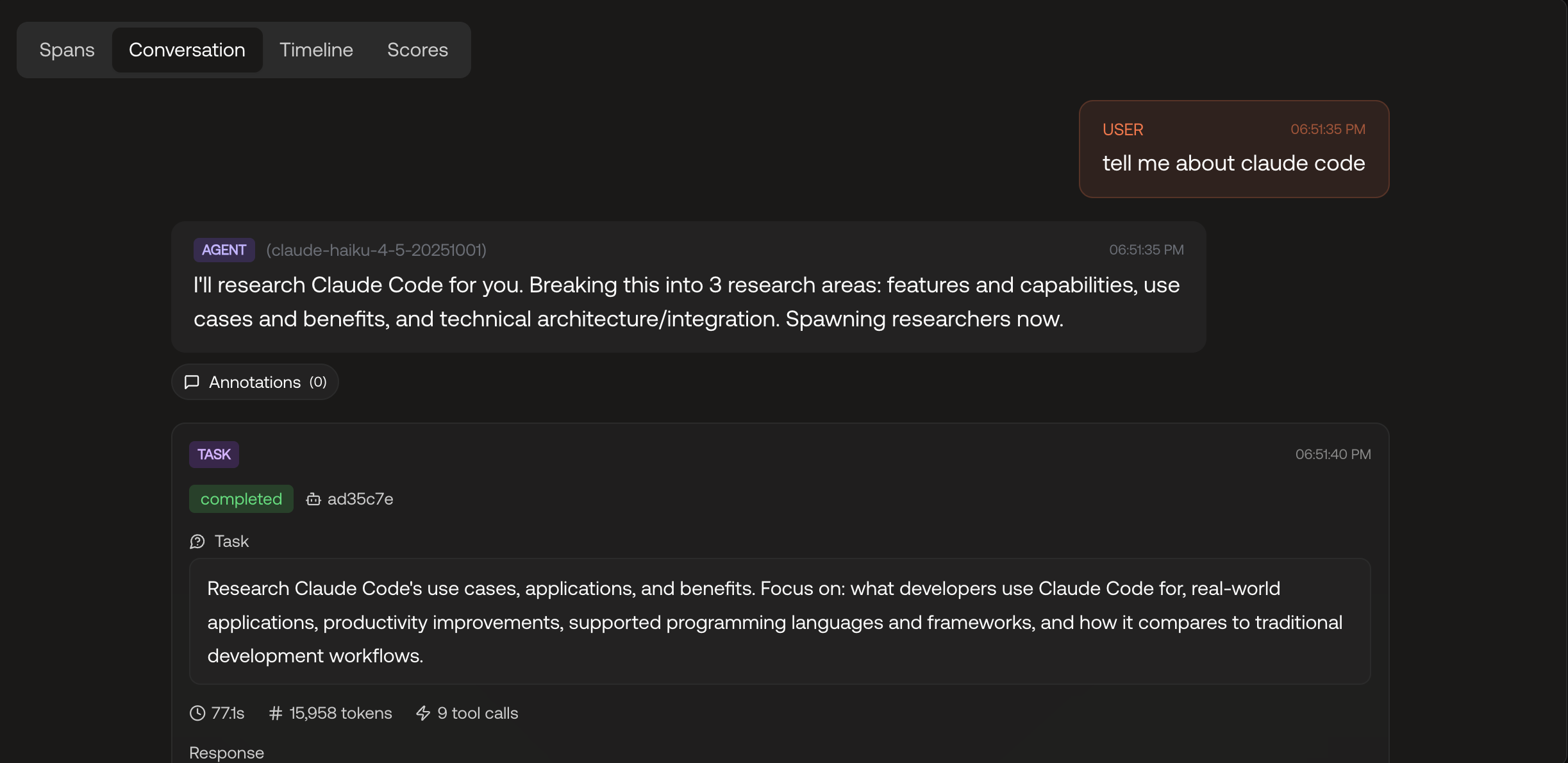
Woah! That's a lot more complicated than the previous query. Let's take a deeper look into what actually happens:
- Claude ends up using several different agents (Exploration, User Facing, Sub-Agent) to execute the tasks
- 20 tool calls such as `Bash` and `Read` are used order to figure out what the structure of the directory looks like, before responding succinctly to the user.
- Both Claude-Haiku and Claude-Opus are used, but not Claude-Sonnet, despite it being an allowed model to be used by the CLI.
In the future to optimize this query, I may choose to point it to a directory structure file, and also downgrade the model usage to Sonnet or Haiku depending on directory size.
Try it Yourself
Getting traces from your own agents into Scorecard doesn't require any code changes, just some environment variables.
- Create your organization in Scorecard and get your API Key (Take a look at the Claude Agent SDK Quickstart)
- Set these 3 environment variables
export OTEL_EXPORTER_OTLP_HEADERS="Authorization=Bearer <your_scorecard_api_key>"
export ENABLE_BETA_TRACING_DETAILED=1
export BETA_TRACING_ENDPOINT="https://tracing.scorecard.io/otel"
export OTEL_RESOURCE_ATTRIBUTES="scorecard.project_id=<your-project-id>" #Optional- Run a prompt with Claude Code's CLI with a prompt:
claude -p "Explore this directory and then tell me about what is going on in this directory”
- (Optional) Run your Agent that was built with the Claude Agent SDK (example):
import anyio

from claude_agent_sdk import ( AssistantMessage, ClaudeAgentOptions, ResultMessage, TextBlock, query )

async def main():
    """Example with custom options."""
    print("=== With Options Example ===")

    options = ClaudeAgentOptions(
        system_prompt="You are a helpful assistant that explains things simply.",
        max_turns=1,
    )

    async for message in query(
        prompt="Explain what Python is in one sentence.", options=options
    ):
        if isinstance(message, AssistantMessage):
            for block in message.content:
                if isinstance(block, TextBlock):
                    print(f"Claude: {block.text}")
    print()


if __name__ == "__main__":
anyio.run(main)- Navigate to the Records page in Scorecard to view the traces

- (Optional) Explore what else Scorecard has to offer including scoring, making testsets, and more!
What This Unlocks
With Scorecard's no-code instrumentation, you no longer have to manually log, re-instrument with updates, or worry about missing small events in your traces. That's all maintained and polished by Anthropic, with Scorecard as the viewer.
Once you can see traces in Scorecard, you’re no longer debugging agents by “vibes." With Scorecard’s Claude Agent SDK and Claude Code tracing, you can now:
- See every decision an agent makes (sub-agents, tools, reasoning)
- Identify wasted work instantly
- Compare agent runs side-by-side
- Share agent runs between team members
- Score and evaluate your Agent Skills
Debugging becomes systematic, optimization becomes measurable, and “it feels worse” turns into concrete evidence.
Interested in what Scorecard can do for your team? Contact us at team@scorecard.io and sign up at app.scorecard.io